
SATONO
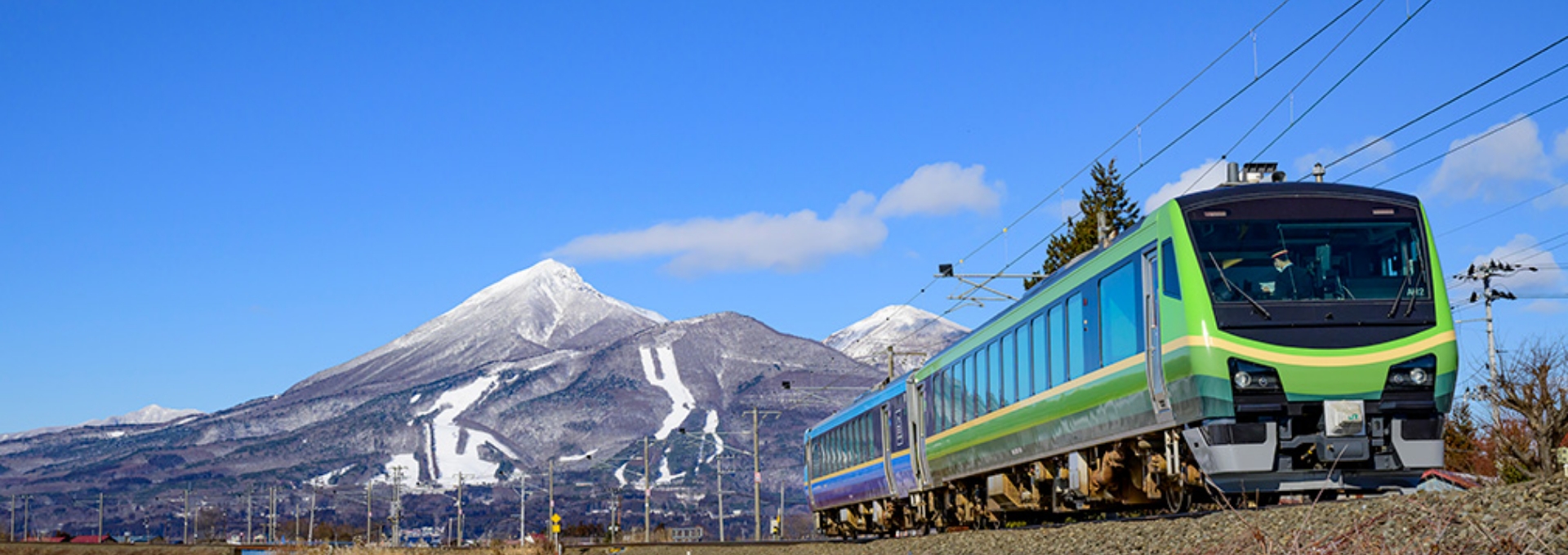
Relaxing travel with warm hometown comfort
Features
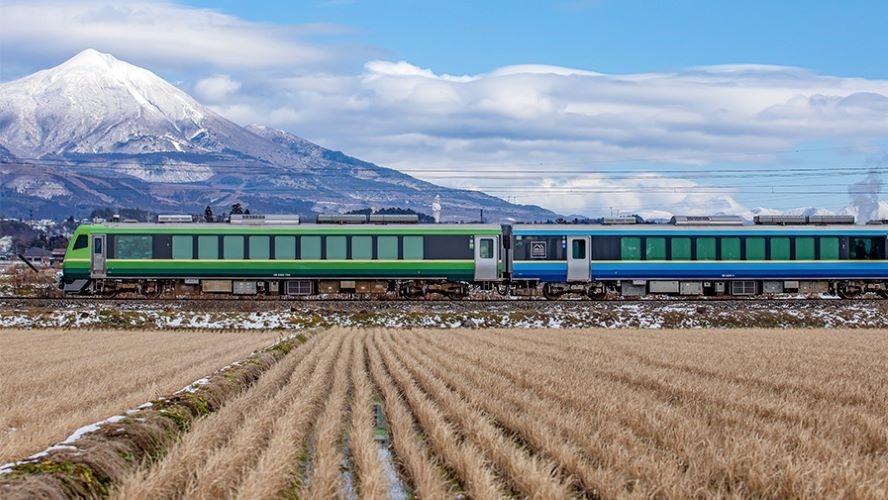
Scenic views of the countryside
Enjoy a scenic journey through three prefectures in southern Tohoku, and soak up the hometown comfort of the rich local culture.
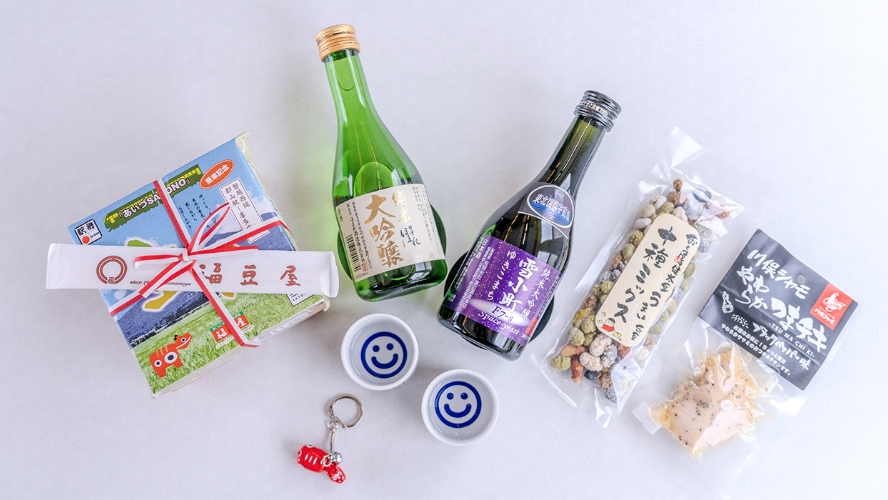
The view pairs perfectly with local cuisine and sake from areas along the route, making your trip even more authentic!
Reservation via Uketrip(opens in a new window, Japanese only) on your smartphone required for purchase.
Seats
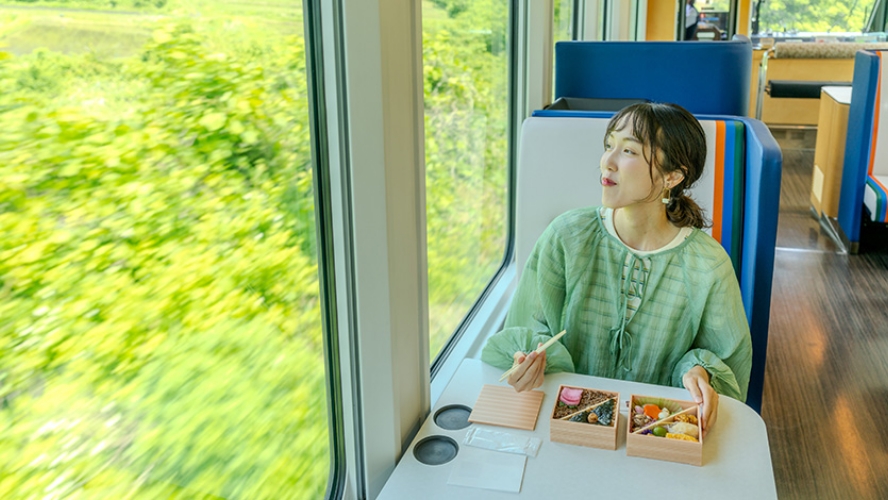
Car No. 1
Green Car: 25 seats
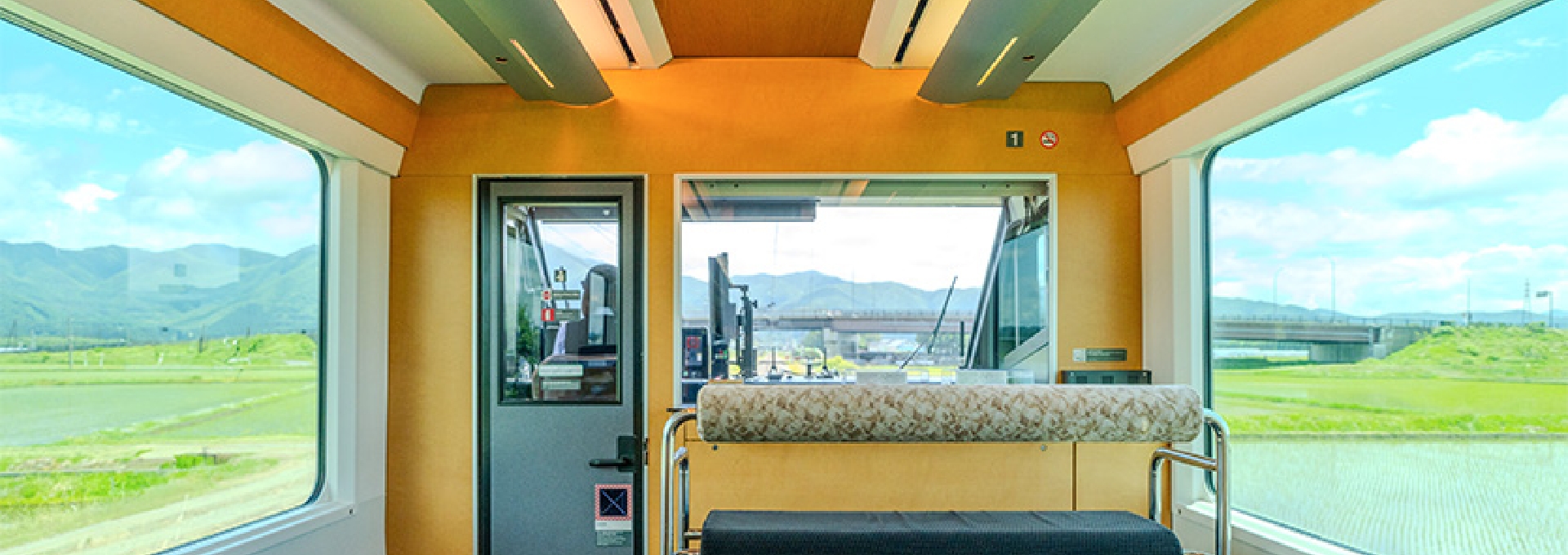
Box seats are equipped with tables for enjoying your box lunch (bento), filled with traditional local specialties from southern Tohoku.
Available to reserve on Uketrip(opens in a new window).
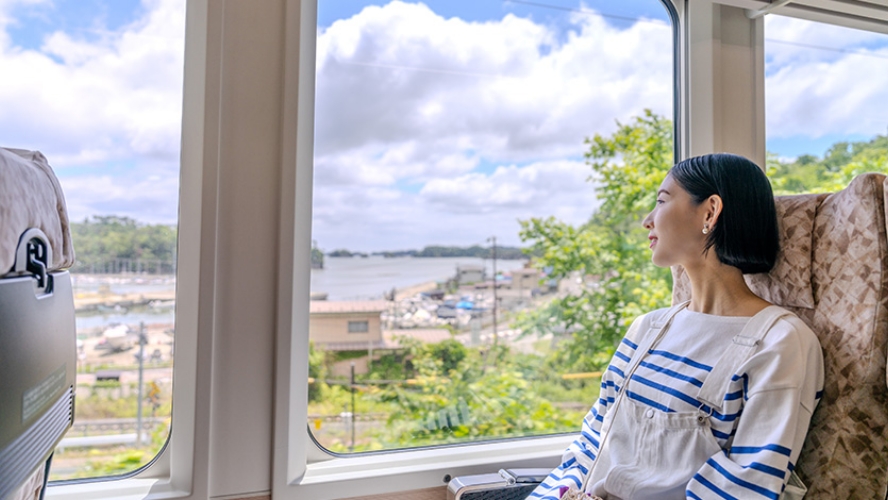
Car No. 2
Reclining seats: 34 seats
Gaze out at the beautiful scenery of southern Tohoku, with all new views to experience on every section of the route!
Routes & Timetables

| Trains | Routes |
|---|---|
| Irodori SATONO (Outbound) | Sendai - Yamagata |
| (Inbound) | Yamagata - Sendai |
| Aizu SATONO (Outbound) | Kōriyama - Kitakata |
| (Inbound) | Kitakata - Kōriyama |
| Date SATONO (Outbound) | Sendai - Onagawa |
| (Inbound) | Onagawa - Sendai |
Tickets & Reservations
Both a basic fare ticket (or pass) and a reserved seat ticket are required to board.
*SATONO is reserved seats only. Advance purchase required.
Option 1: Purchase a basic fare ticket and reserved seat ticket

Basic Fare Ticket

Reserved Seat Ticket
-
Purchase online


-
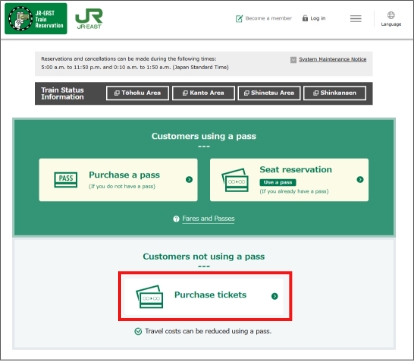
Go to the JR-EAST Train Reservation website (opens in a new window) and click "Purchase tickets".
-
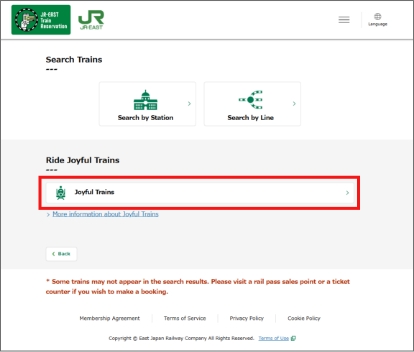
Click "Joyful Trains" in the "Ride Joyful Trains" section.
-
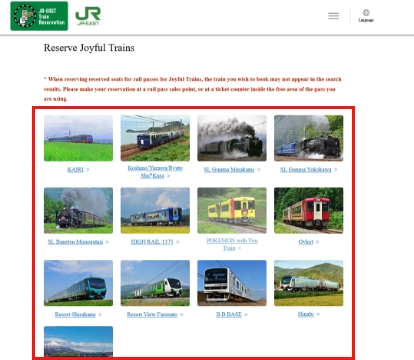
Select a train.
-
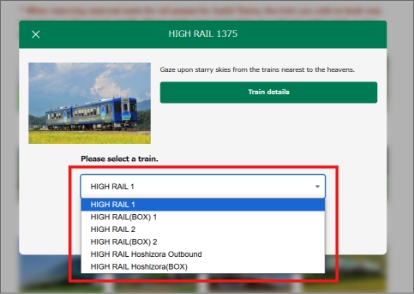
Choose the car, seat type (Green Car, box seats, etc.) and route.
-
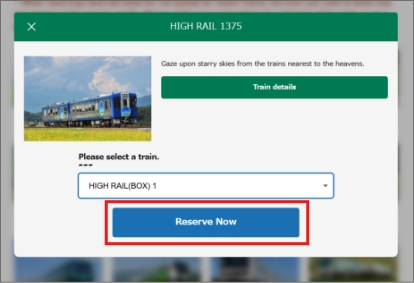
Click "Reserve Now" to proceed to the reservation details.
-
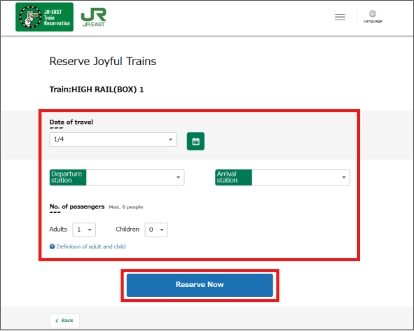
Enter the date of travel, departure and arrival stations, and the number of adults and children, and click "Reserve Now".
-
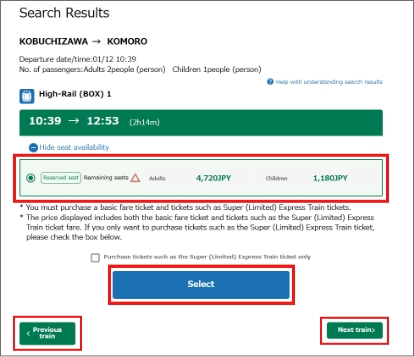
Choose from the available train times, check the box by the train, then click "Select".
To choose a different time, select "Previous train" or "Next train" to view time for the trains before and after that currently selected.
-
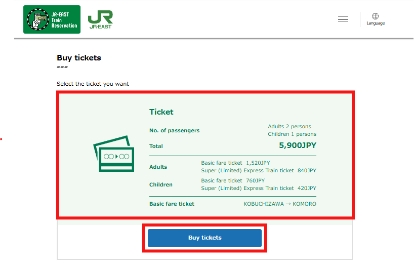
Confirm purchase details, and if correct, click "Buy Tickets" to proceed to the purchase screen.
-
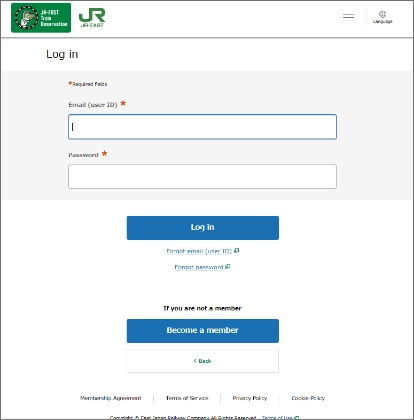
A JR-EAST Train Reservation account is required for purchase.
-
Option 2: Purchase a pass and reserve a seat

JR EAST PASS
Reserved Seat Ticket
(No Charge)
Holders of a rail pass issued by JR EAST (JAPAN RAIL PASS, JR EAST PASS, etc.) valid for within the service area can reserve a seat free of additional charges.
Seats can be reserved at a ticket office or online.
-
1. Purchasing a JR EAST PASS
Purchase a pass valid for the Joyful Train you wish to ride on the JR-EAST Train Reservation website or at a ticket office in Japan.
See the "How to Buy a Pass" page for more information on purchase and pickup. -
2. Reserving a seat (reserved seat ticket) for pass holders
Holders of a rail pass issued by JR East (JAPAN RAIL PASS, JR EAST PASS, etc.) can board simply by reserving a seat (reserved seat ticket).
Seat reservations can be made from 10:00 AM* one month before the departure date at ticket offices (Midori-no-Madoguchi) or Reserved Seat Ticket Vending Machines of select stations, or on the JR-East Train Reservation website (opens in a new window). *10:10 AM for Reserved Seat Ticket Vending Machines
Making reservations on the JR-EAST Train Reservation website
-
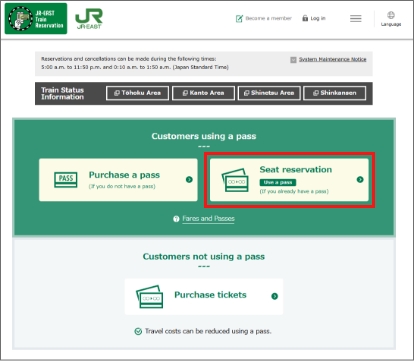
Go to the JR-EAST Train Reservation (opens in a new window) website and click "Seat reservation".
-
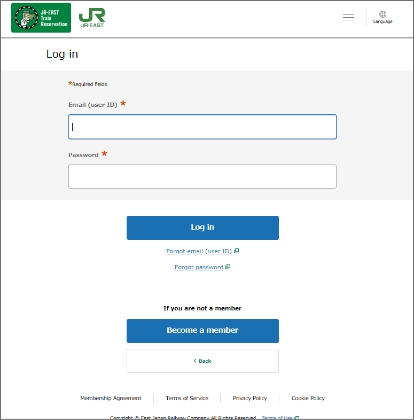
A JR-EAST Train Reservation account is required to make reservations.
-
Applicable passes the SATONO
Holders of any of the following rail passes who are traveling in the applicable service area can ride free of additional charges.
Reserved seat ticket required in advance.Reserve for free at any sales location or on the JR-EAST Train Reservation website.